In the realm of home-based businesses, embroidery has emerged as a prominent and lucrative venture. Whether you are an aspiring entrepreneur or a seasoned small business owner, the significance of selecting the right embroidery machine cannot be overstated. The quality of your machine directly influences the intricacy and finesse of your designs, leaving a lasting impression on your valued customers. In this comprehensive guide, we, as embroidery digitizing experts, aim to delve into the world of top-notch embroidery machines, meticulously crafted to elevate your home business and position it for unparalleled success.
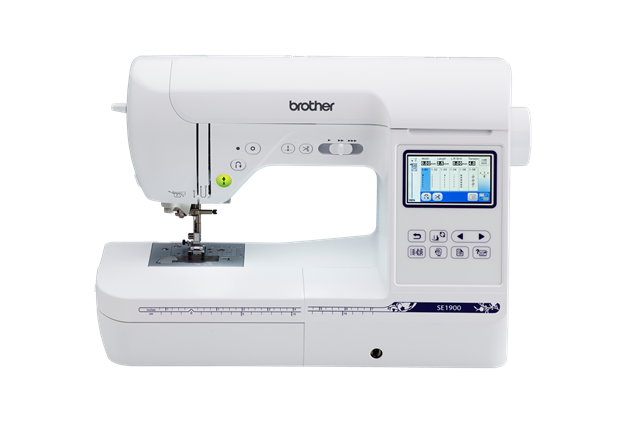
1. Brother SE1900: Unleashing Creativity at Your Fingertips
Within the vast array of embroidery machines, the Brother SE1900 stands out as a true powerhouse, offering an exceptional blend of affordability and functionality. Equipped with an extensive selection of built-in designs, fonts, and stitches, this versatile machine unleashes a world of creative possibilities for you to explore. Its generous embroidery area of 5" x 7" grants you the freedom to undertake larger projects effortlessly, making it an ideal choice for personalized monograms, intricate designs, and even quilt embellishments.
2. Janome MB7: Redefining Precision and Craftsmanship
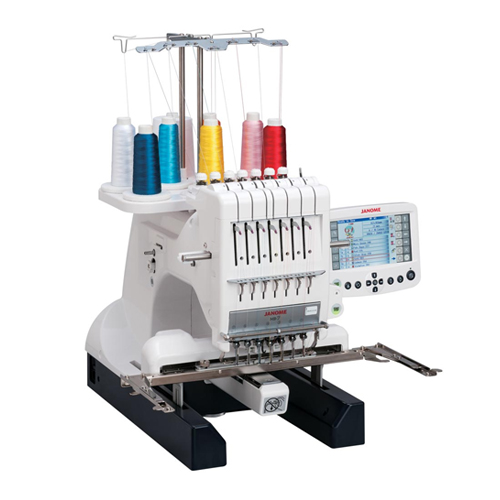
For embroidery aficionados who demand unparalleled precision and sophistication, the Janome MB7 stands as the epitome of excellence. Boasting an impressive embroidery area of 9.4″ x 7.9″, this machine caters to the most ambitious and elaborate projects with ease. Advanced editing features empower you to customize designs with remarkable accuracy, making it a go-to choice for intricate lacework, 3D embroidery, and other exquisitely detailed artwork.
Some Features Include:
- Large LCD Display & Navigation
- Editing functions include enlarge/reduce, rotate, turnover
- An automatic stitch jump trimming
3. Ricoma TC-1501: Seamlessly User-Friendly Brilliance
The Ricoma TC-1501 shines as an exceptional option for embroidery enthusiasts seeking user-friendliness without compromising performance. With its easy-to-navigate interface and large LCD screen, this machine streamlines the design selection and editing process, making it a perfect fit for both beginners and seasoned embroiderers. The embroidery area of 20" x 14.7" and a remarkable speed of 1200 stitches per minute ensure efficient and precise results.
Some Features Include:
- 15 Needles
- 200 designs Memory Capacity
- High-Definition True-Color 7" LCD Touch Screen
- Can easily sew Caps, flats & more
4. Bernina E 16 PLUS: Where Innovation Meets Craftsmanship
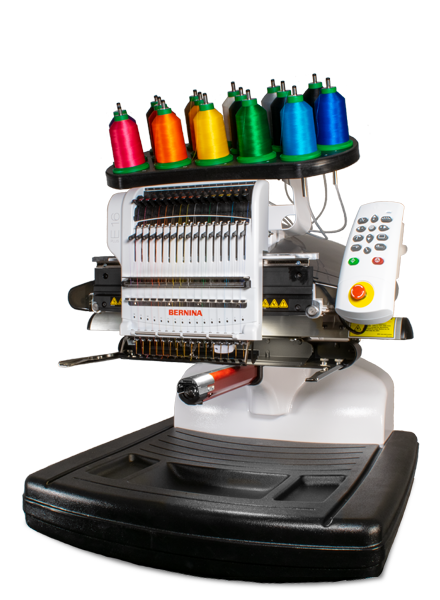
The Bernina E 16 PLUS represents the pinnacle of Swiss engineering excellence, incorporating innovation with exquisite craftsmanship. With an embroidery module offering a generous 15.74" x 13.78" area, this machine provides ample space for intricate designs and patterns. The Bernina revolutionary Stitch Designer feature allows you to create your own stitch patterns, elevating your embroidery work to an unprecedented level of uniqueness.
Features Overview
- 16 Needles High Speed
- Automatic Tension Adjustments
- Laser Alignment
- 1400 Stitch Per Minute
5. Baby Lock Array Multi-Needle: Elevating Productivity to Unprecedented Heights
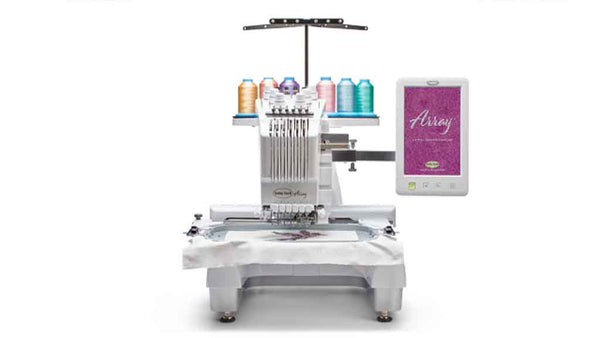
For embroidery enthusiasts seeking to maximize productivity and efficiency, the Baby Lock Array Multi-Needle stands as the ultimate embroidery machine for your home business. Featuring an impressive 7.7" x 11.7" embroidery area, this machine enables you to undertake larger and more complex designs without the hassle of frequent rehooping. Advanced camera and positioning technology guarantee precise design placement, saving you valuable time and effort.
Feature Overview
- 6 Needle Machine
- Embroidery Crosshair Positioning Laser
- 126 Built-In Designs
- Embroiders at 1,000 Stitches Per Minute
Selecting the Perfect Embroidery Machine
As seasoned embroidery experts, we understand that selecting the perfect embroidery machine is a pivotal decision that will significantly impact your home business. To ensure you make an informed choice, consider vital factors such as embroidery area size, design editing capabilities, ease of use, and additional features like USB connectivity and design libraries. Each machine caters to different skill levels and project requirements, so carefully assess your needs before making a well-informed decision.
The world of embroidery machines offers an extensive range of options, tailored to suit every home business owner's needs. These machines have earned our esteemed recommendation as exemplary choices that deliver unparalleled performance and unparalleled creativity. As you venture forth to outperform your competitors and establish your embroidery business as an industry leader, selecting the right embroidery machine and best embroidery digitizing services will be your most invaluable ally. So, arm yourself with one of these exceptional machines, unleash your creativity, and watch your business soar to new heights in the realm of embroidery artistry.
Comments
Post a Comment